Posts

Showing posts with the label Google

Google Passkeys: The Beginning of a New Era in Online Security?
Image
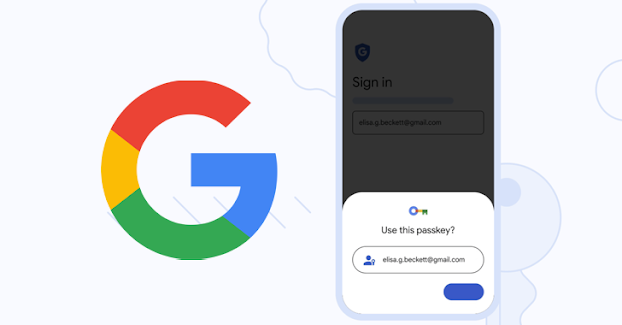
Google recently unveiled "passkeys," a new tool that makes logging into your Google account more convenient and safer. Traditional passwords, which can be challenging to remember and frequently result in security breaches, can be replaced by passkeys. We'll examine passkeys in more detail in this blog article, including what they are, how they operate, and what they portend for internet security in the future. What are Passkeys? In simple terms, passkeys are a form of two-factor authentication (2FA) that substitutes a cryptographic key for a password. You'll be asked whether you want to make a physical key or use your phone as the key when you set up passkeys for your Google account. When you log into your account, this key is then used to confirm your identity. How do Passkeys work? The Web Authentication (WebAuthn) standard, which is a relatively recent standard for user authentication on the web, provides the foundation of passkeys. You will be asked to tap a physi...


December 2022 – free certifications resources to upskill

Image
With the following free proctored certification exam vouchers and resources to upskill, use the lists of the top skills in this post to identify skill gaps as a professional or in your unique area of expertise. DISCLAIMER: The below links are taken via various upskill search engines. Trailblazer Scholarship 2023,  Apply Now!! Are you preparing for data scientist, data analyst, software developer job roles? then refer this limited time FREE career preparation courses ---  Click Here!! (ISC)² is offering FREE Certified in Cybersecurity  (CC) Online Self-Paced Training and exams to one million people. ---  Check it out!! FREE monthly learning resources ---  Click Here!! Cloud Developer Workbook has 100 hands-on exercises for software developers to build AWS skills! ---  Link Here!! Please share this blog post with 5 of your friends or 2 colleagues who you think will find it useful. Follow me on    Instagram    ...

How to Create Unlimited Gmail accounts without Phone Number

Image
[IMPORTANT: USE   India IP   if you not from India] 1) Open chrome   settings and clear all the app data. [Important Step ] 2) Now open chrome app and the open a incognito tab.   3) Open Gmail.com in incognito tab. 4) Then click on create account. 5) Fill all the details and then next   6) It will show phone number and email is optional.. [Please don't fill any number or email on it ] 7) Now click on continue  8) Click on agree and boom you created a Gmail without any phone number... ⚠ ️ Notice:- works only on chrome   👉 use only incognito tab 👉 no need VPN if u from India [Always Clear App data while creating a new account] {NOTE: This is for Educational Purpose only. I am not responsible if you involve in illegal activities. Always use the internet with good intention to learn new things and excel your way.} Follow me on social   Instagram     Facebook