Posts

Showing posts with the label techtips

Digital Forensics - An Overview
Image
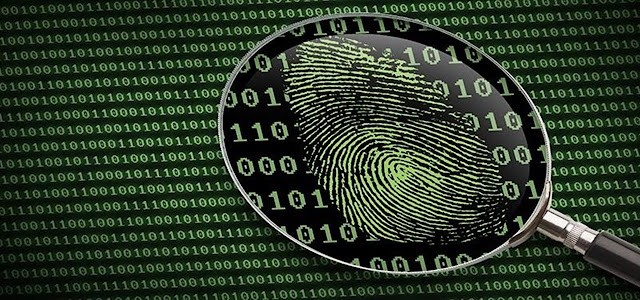
Digital forensics involves the preservation, acquisition, documentation, analysis, and interpretation of evidence identified from various storage media types. It is not only limited to laptops, desktops, tablets, and mobile devices, but also extends to data in transit that is transmitted across public or private networks. In some cases, digital forensics involves the discovery and/or recovery of data using various methods and tools available to the investigator.  Digital forensics investigations include, but are not limited to, the following:  • Data recovery: Investigating and recovering data that may have been deleted, changed to different file extensions, and even hidden.  • Identity theft: Many fraudulent activities, ranging from stolen credit card usage to fake social media profiles, usually involving some sort of identity theft.  • Malware and ransomware investigations: To date, ransomware spread by Trojans and worms across networks and the internet are some of...
Google Passkeys: The Beginning of a New Era in Online Security?

Image
Google recently unveiled "passkeys," a new tool that makes logging into your Google account more convenient and safer. Traditional passwords, which can be challenging to remember and frequently result in security breaches, can be replaced by passkeys. We'll examine passkeys in more detail in this blog article, including what they are, how they operate, and what they portend for internet security in the future. What are Passkeys? In simple terms, passkeys are a form of two-factor authentication (2FA) that substitutes a cryptographic key for a password. You'll be asked whether you want to make a physical key or use your phone as the key when you set up passkeys for your Google account. When you log into your account, this key is then used to confirm your identity. How do Passkeys work? The Web Authentication (WebAuthn) standard, which is a relatively recent standard for user authentication on the web, provides the foundation of passkeys. You will be asked to tap a physi...

Recover images used for Windows 10 lock screen

Image
Regularly, the lock screen of Windows 10 displays a different image to decorate this login screen. The images being rather pretty, in a general way, I looked for these images in order to be able to reuse them. In the rest of this article, I give you a technique to recover the images that have been used on your machine on the lock screen in Full HD (1920 x 1080px). There are actually two methods that are similar but slightly different from each other. A little information before you start   Don't modify the contents of the folder given below, create a copy of the files you are interested in in another location, which you can then use as you wish Using a Browser The first method is to use your browser and type the following address in its address bar (or copy/paste, it may be easier...) replacing "username" with the name of your user folder 👇 " file:///C:/Users/username/AppData/Local/Packages/Microsoft.Windows.ContentDeliveryManager_cw5n1h2txyewy...

How can I tell if someone is monitoring my phone?

Image
Our phones give us instantaneous access to limitless information. But sometimes that means others will have access to you. Your phone is the perfect access point for anyone looking to steal your information, or worse, spy on you. Smartphones have greatly changed the way live. They’ve also made us easy targets by consolidating so much of our daily business and communication to one device. Someone could access your phone’s data if they had the right tools.  Cell phone monitoring programs allow remote access to a target device. This software makes most of the important data readily accessible including text messages, call logs, pictures, social media, and GPS location. They are useful tools for anyone who needs remotely controlled access to a device, but, like any tool, it has the potential to be mishandled. This technology is often used by parents as a way of keeping tabs on their child’s devices. Getting issued a phone or a smart device at work is very common. Employers often...

Why You Should Not Use Free VPN

Image
Have you ever wondered why there are paid VPNs? When there are so many free VPNs accessible, why would anyone pay for one? If you've been thinking about these kinds of questions, this essay is for you. All of your queries on this topic will be answered. In this essay, I'll explain why you shouldn't utilise a free VPN service. Simply read the post carefully and attempt to grasp each of my points. In this article, I will primarily discuss five important reasons why you should not utilize a free VPN. So, these are the five points: Compromising your Security We all know that free VPNs display advertisements because they rely on advertising to make money. However, you should be aware that advertisements can include viruses. If you click on any of the advertisements, you will be taken to their website. That website could have malicious code, allowing attackers to effortlessly steal your information. Tracking your Online Activity According to a survey, 72 percent of...